








Description
1. How to show list of clients in soloBizOS.Com?
To do it, you click on CRM (1) menu => Click on Clients (2) sub-menu.
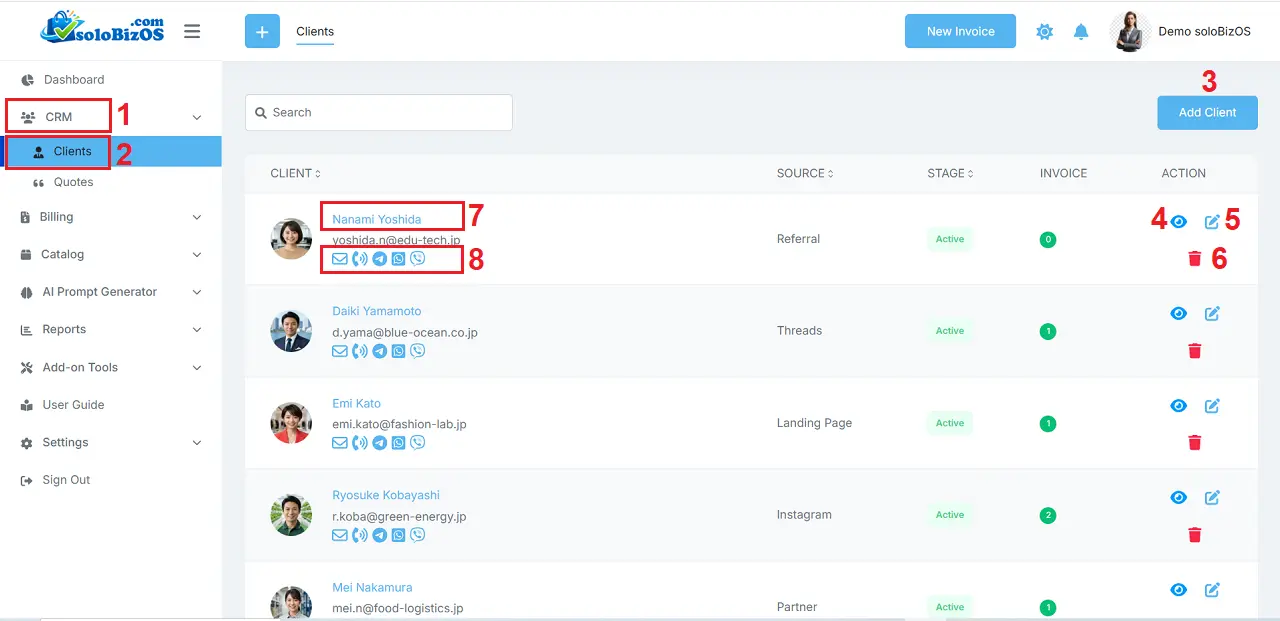
Illustration 1: List of Clients In soloBizOS.Com
* Notes:+ Add Client (3): click on this button to add a new client.
+ Eye icon (4): click on this icon to show Client's details. You can do it with the red box of No 7.
+ Pencil icon (5): click on this icon to edit the client's information.
+ Trash icon (6): click on this icon to delete the client.
+ 8th red box: click on the icons in this red box to contact with your clients.
2. How to create a new client in soloBizOS.Com?
In Illustration 1 above, you click on ADD CLIENT (3) button => Then you input or select the suitable values in The add client form => Final, you click on Save button to finish.
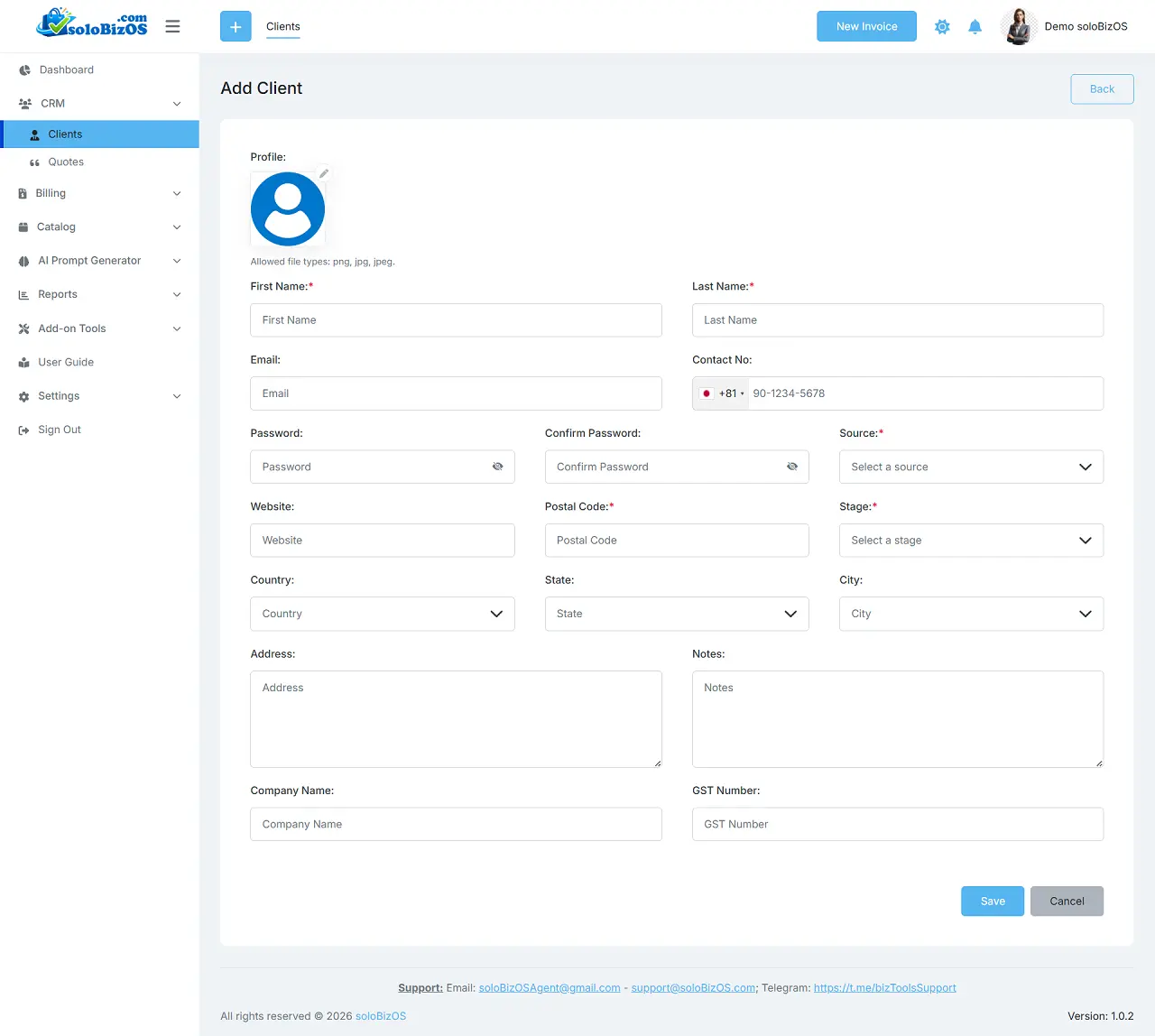
Illustration 2: Add New Client
+ Profile avatar: It has size limit that's 300 kb.
+ Email and Contact No: It has to be unique.
*For any questions, please contact us via Email: soloBizOSAgent@gmail.com Or support@soloBizOS.com Or Contact us via Form CONTACT for a prompt response.